
AI in accounting for small business: what it does in your books, and what we found when we tested it
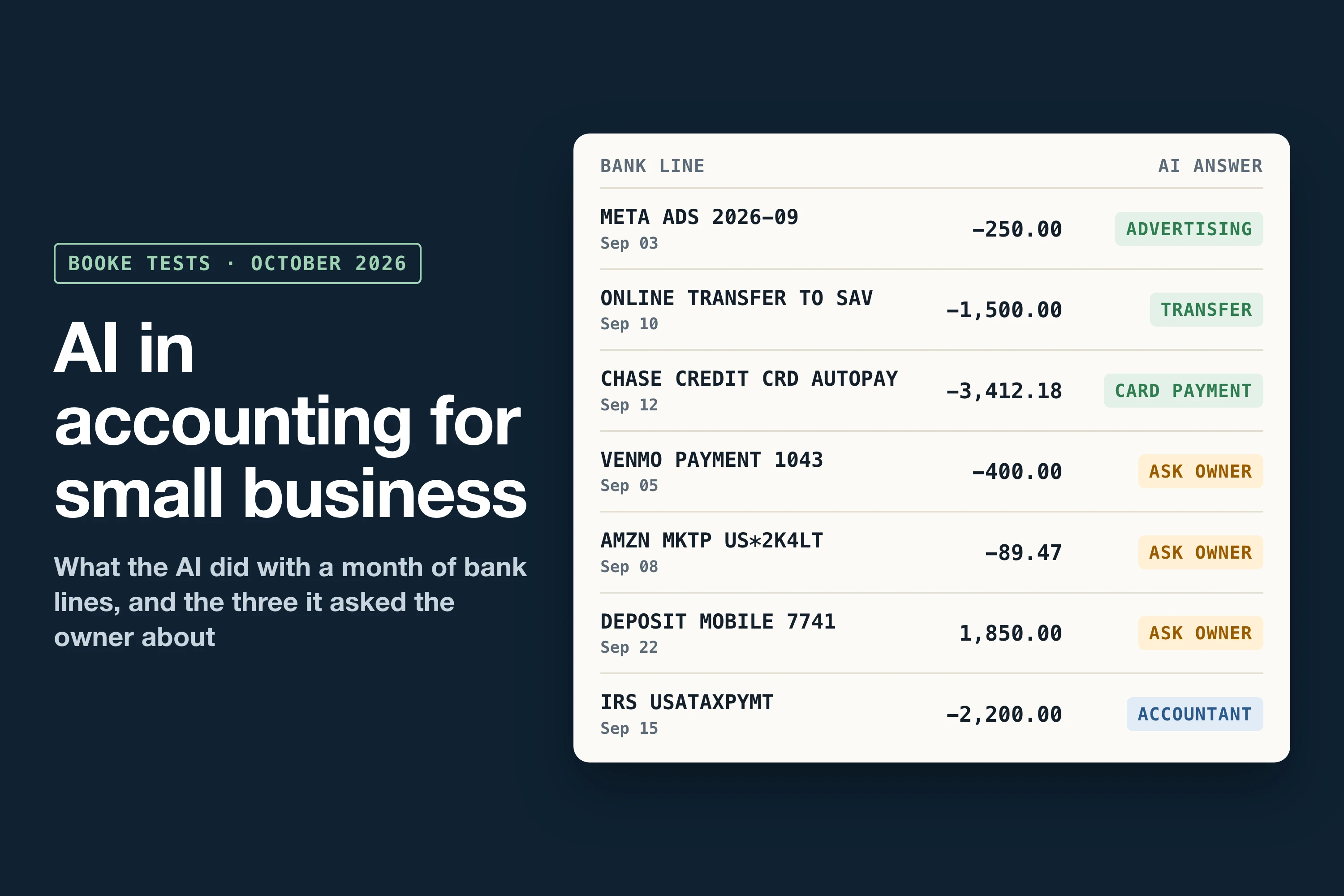
AI in accounting now handles the routine part of a small business's books. It sorts bank transactions into categories, matches payments to invoices, explains why a payout is smaller than your sales and catches duplicate charges. On a 40-check test month of small-business books, Meta Muse Wonder and Gemini 4 Argon each matched all 40 checks in a run, and in 13 runs across five models none flagged a correct line as a problem.
It can't know what only you know, such as who a Venmo payment went to or whether the money you put in is a loan. We build Booke AI, and in October we ran the same made-up month of books through five AI models and gave two AI agents write access to a QuickBooks test company. Below is what AI did in each task, and how to start without letting it change your books before you've seen the change.
What AI does in each accounting task
Task | What AI does today | What it did in our tests | What stays with you |
|---|---|---|---|
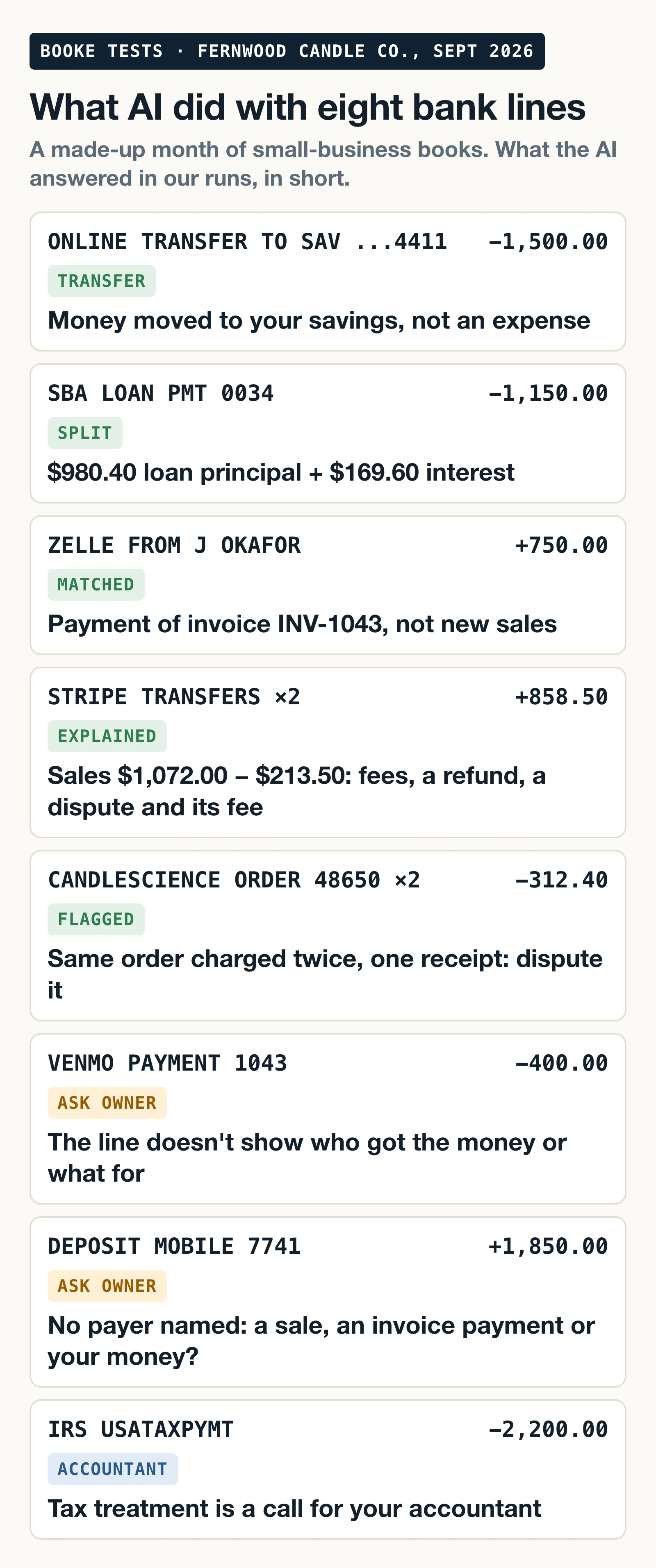
Sorting bank transactions | QuickBooks Online posts familiar expenses it's confident about¹ and suggests categories for the rest | Asked about every line the bank text didn't explain: a $400 Venmo payment, an $89.47 Amazon order, a $1,850 deposit | What a payment was for, when only you know |
Reconciling the bank and payouts | Xero reconciles the bank lines it's confident about, in beta, once you turn it on² | Split a $213.50 gap between Stripe sales and deposits into fees, a refund, a dispute and a dispute fee | Bank statements and the final sign-off |
Loans and owner money | Splits a loan payment when the numbers are in the data | Split a $1,150 SBA payment into $980.40 principal and $169.60 interest | Whether money you put in is a contribution or a loan |
Receipts, duplicates, price changes | Reads source documents and pulls the data into the books³ | Caught one $312.40 order charged twice, two subscription price rises and two purchases over $75 with no receipt | Disputing the charge, finding the receipt |
Month-end review | An AI connected to QuickBooks reads the whole file | Claude Code passed 26 of 26 checks in a QuickBooks test company, twice, without changing anything | Approving entries before they post |
Changing the books | Connected assistants and agents can create and edit records⁴ | Told to "fix my books", agents made 1 change in 29 seconds and 3 changes in 84 seconds without asking | Who approves a change |
Cutting costs | Reads a year of spending and lists what to renegotiate or cancel | Found all 10 planted savings in tidy books, 7 or 8 in a raw bank feed | The call to the vendor |
Taxes | Spots tax payments in the bank feed | Sent the $2,200 IRS payment to "ask your accountant" in all 13 runs | Tax treatment, with your accountant |
How AI is used in accounting: three places you'll meet it
Inside your accounting software
QuickBooks Online adds familiar expenses to your books on its own when it's confident, on Simple Start and up, and leaves everything else in For review. You can switch that off with the "Familiar expenses" setting, and Undo sends a line back.¹ On Essentials and up, Ready to post groups the lines it's sure about, and you post them yourself.⁵ To turn off AI suggestions on the banking page, choose "Switch to previous version".⁶ Plus and Advanced also include an Intuit bookkeeping expert who posts the confident lines each month, works through the uncertain ones and asks you about anything unclear.⁷
Xero's assistant, JAX, reconciles high-confidence bank lines once you turn it on for an account, puts them on a Reconciled page for you to check,² and answers questions about your books when you ask.⁸ Our guide to AI accounting software for small business compares ten products and what their AI does.
General AI assistants connected to your books
ChatGPT, Claude and Meta Muse can now connect to QuickBooks Online. Through these connections they create invoices, pull reports and, in Claude's case, enter transactions you give them.⁹˒⁴˒¹⁰ Intuit's ChatGPT and Claude connections are US-only. These assistants work when you ask, and a connection that can write can change records.
Bookkeeping apps that work inside your books
These run on the bank feed you already have in QuickBooks Online or Xero, every day, and bring you the lines they can't settle on their own.
What our tests found
We gave five AI models the same month of books for a made-up candle business on QuickBooks Online, Fernwood Candle Co., and scored their answers against 40 checks we wrote before any model saw the data. The month had five jobs: clear Uncategorized, split a personal card used for business, explain a Stripe payout, sort owner money and loan payments, and run month-end checks.
Model | Checks matched (of 40) | Extra questions | Wrong calls |
|---|---|---|---|
Meta Muse Wonder (2 runs) | 38 and 40 | 2 and 0 | 0 |
Gemini 4 Argon, reasoning set to high (1 run) | 40 | 0 | 0 |
Gemini 4 Argon, default (2 runs) | 35 and 33 | 5 and 7 | 0 |
DeepSeek V4.1 Flash (2 runs) | 34 and 33 | 6 | 0 and 1 |
Claude Haiku 5.5 (4 runs, three effort settings) | 33 to 34 | 6 to 7 | 0 |
GPT-6.1 Sol (2 runs) | 30 and 30 | 10 | 0 |
Scores differ because of questions, not mistakes. Sol asked about 10 lines it could have worked out, such as what a CandleScience order was for. The only miss on the 40 checks in 13 runs was one DeepSeek run that didn't tell the owner to answer a Stripe dispute.
Gemini 4 Argon closed that gap in one run with its reasoning set to high: it answered the vendor lines it had asked about and matched all 40 checks, at $0.27 for the month instead of $0.06. The method and every answer are in our Gemini 4 Argon bookkeeping test.
Every model got the parts that trip up a bank rule. Savings transfers and credit card payments stayed out of expenses. The loan payment was split into principal and interest. A $750 Zelle from a customer paid an open invoice instead of counting as new sales. The Stripe gap came apart into $33.50 in card fees, a $45.00 refund, a $120.00 dispute and a $15.00 dispute fee.
All of this was review only: the models read pasted data, with no connection to a bank or to QuickBooks. Every run used the same rules, and you can paste them above your own data:
Review only. Use only the data I paste. Don't post, change or delete anything in my books. Don't guess what a purchase was for from the merchant name alone: if you can't tell, mark it ASK and write one short question I can answer. Flag anything that needs my accountant instead of deciding tax treatment.
Some models need that rule. In a separate test with a different prompt and no rule against guessing, we put an unexplained $1,850 deposit in Sales and a $400 Venmo payment in Office Supplies. DeepSeek left the deposit there in 4 of 4 runs and the Venmo payment in 3 of 4; Sol and Haiku flagged both in every run.
What only you can tell the AI
Three kinds of lines depend on facts the bank feed doesn't hold.
The first is what a payment was for. A Venmo payment, an Amazon order or a mobile deposit doesn't say, and with the rules above every model asked about all three in all 13 runs.
The second is owner money. Money you move in from a personal account can be an owner contribution (equity) or a loan the business pays back, and the books treat them differently. Without a note, Haiku and Sol asked about it in every run, while the other models usually booked the $5,000 as an owner contribution without asking. That was right for our test month, and the bank line would have looked the same if it had been a loan. With one line in the notes, 5 of 6 runs stopped asking, and when the note said the money was a loan, all 6 runs treated it as one:
Money I move into the business from my personal accounts is an owner contribution unless I say it's a loan. Zelle payments to me are owner's draws.
Our test of owner contribution vs loan shows how to record each one in QuickBooks Online and Xero.
The third is tax. The IRS payment went to "ask your accountant" in all 13 runs.
Before you let an AI change your books
Everything above was a review of pasted data, which can't touch your books. A connected agent with write access can change records in seconds.
In a QuickBooks test company we told two agents "fix my books", and both went for the same duplicate $312.40 charge. Claude Code moved it 29 seconds later without asking. Codex, working through Intuit's official QuickBooks connection for AI agents (its MCP server), created a new account, edited it and moved the charge. That was 3 changes in 84 seconds, and it never asked the owner.¹¹ The fix itself was reasonable, but the owner never saw it before it happened.
Four things to know before you connect one:
Writing "read-only" in your prompt is only an instruction. Intuit's accounting access for apps reads and writes, and there's no read-only version of it.¹²
Intuit's MCP server has an off switch for changes. With its three disable settings for writing, updating and deleting turned on, the same agent made 0 changes in two runs and described the fix for the owner instead.¹¹ The switch covers that server only. The steps are in our QuickBooks MCP server test.
An agent's edit shows under the name of whoever connected it. In the edit we checked, QuickBooks' Audit History named the person who authorized the app, with no app or model named.
You can cut the connection. In QuickBooks Online go to Integrations, then Manage integrations, then Action and Disconnect. Only an Admin user can connect or disconnect apps.¹³
How to start using AI in your accounting
Switch on what your software already has. In QuickBooks Online that's Familiar expenses and, on Essentials and up, Ready to post; in Xero, auto bank reconciliation for each account (Growing and up, or a $5 add-on on Early). Check the Auto-categorized filter or the Reconciled page once a week for the first month.
Write your standing notes: owner money, who you pay by Venmo or Zelle, what you usually buy on Amazon. One line saves you the same question every month.
Run a read-only review of last month. Export the bank lines, paste the rules above and the lines into an AI assistant, and compare its answers with what was booked.
Keep write access off until you trust the pattern, then approve changes one at a time.
Count the lines that still needed you each month. That count tells you how much time you've won back.
Will AI replace your accountant?
Not in our tests. The AI did the sorting and matching. Tax payments and the month-end sign-off came back to a person, and owner money needed the owner's own note. For the job numbers and research, see will AI replace accountants.
FAQ
Can I use ChatGPT for accounting?
Yes, for review and drafting. With Intuit's QuickBooks connection, ChatGPT can create invoices and pull reports from your books in the US.⁹ On our test month GPT-6.1 Sol, which we ran through OpenAI's Codex on a ChatGPT plan, matched 30 of 40 checks, made no wrong calls and asked about the other 10. Give it the rules above so it asks instead of guessing.
Can QuickBooks AI help with bookkeeping?
Yes. QuickBooks Online adds expenses it recognizes with high confidence to your books automatically and leaves the rest in For review.¹ You can turn this off, and Undo sends any line back for review.
Can AI do accounting on its own?
It can do most of the routine work on its own: categories, matches, payout gaps, duplicates. It still needs you for what the bank feed doesn't say, and it needs a person to approve changes and sign off the month.
What are the disadvantages of AI in accounting?
Two showed up in our tests. Without a rule against guessing, one model left an unexplained deposit in Sales and a Venmo payment in Office Supplies instead of asking. With write access, agents changed the books seconds after "fix my books", without waiting for the owner's OK. The rules block handles the first; keeping write access off, or using the off switch on Intuit's MCP server, handles the second.
Where Booke fits
We build Booke AI for the daily bank-feed work this guide keeps returning to. Booke works inside the QuickBooks Online or Xero books you already have, with the bank feeds already connected, so there's no new platform and no new bank connection. It automates up to 80% of the manual bank-feed work, categorizing transactions and matching them to records and documents, and brings you only the transactions that need you. Approved changes improve future QuickBooks automation.
Booke costs $129 per business per month. Your own arithmetic is simple: what you spend on bookkeeping now, minus the review time that stays with you, minus $129. See how Booke works for small business owners, or in QuickBooks Online specifically.
Sources
We read the sources cited here in October 2026; each shows its date. Test results come from Booke's own runs on a made-up company's books, October 4-18, 2026.
Intuit, Automatically categorize expenses in QuickBooks Online, updated August 5, 2026.
Xero, What's new in Auto Bank Reconciliation, August 14, 2026.
Xero, Xerocon London 2026: The Agentic Era Has Arrived, July 8, 2026.
Intuit, Use Claude to enter transactions and get insights in QuickBooks, updated October 2, 2026.
Intuit, Use Ready to post in QuickBooks Online, updated October 12, 2026.
Intuit, Learn about updates to the new AI-powered banking page, updated October 11, 2026.
Intuit, Get expert bookkeeping help in QuickBooks Online, updated August 24, 2026.
Xero, Just Ask Xero (JAX). Read October 16, 2026.
Intuit, Connect QuickBooks Online to ChatGPT, updated August 26, 2026.
Intuit, Intuit QuickBooks joins Muse for Small Business, October 1, 2026.
Intuit, quickbooks-online-mcp-server, GitHub repository and README (installed at the September 15, 2026 commit). Read October 15, 2026.
Intuit Developer, Learn about scopes. Read October 6 and 7, 2026.
Intuit, Disconnect an app and change subscription in QuickBooks, updated August 12, 2026.

