Digits alternatives in 2026:Digits vs Booke AI
Digits is an AI-native accounting platform and general ledger for businesses and accounting firms. The operating-model decision is whether to adopt Digits as the system of record or keep QuickBooks Online or Xero as the ledger and add Booke AI for native bank-feed workflow automation.
Start with the ledger decision
Digits fits a project that calls for a new AI-native ledger and broader accounting platform. Booke AI fits when the books should stay in QBO or Xero and the priority is native bank-feed work.
- A new Digits ledger can include live financials, invoicing, bill pay, AI bookkeeping, and reconciliation
- Booke AI handles supported work inside existing QBO or Xero bank feeds
- Verify the migration route, bank setup, platform scope, and human-review model before choosing
Adopt an AI-native ledger or automate the ledger you keep
Digits can serve as the accounting platform and general ledger; Booke AI performs supported bank-feed work through the existing native QBO or Xero workflow.
AI-native accounting platform and general ledger
Digits combines its ledger with live financial statements and dashboards, invoicing, bill pay, AI bookkeeping, and reconciliation for U.S.-based entities.
- Connects banks and cards to Digits through Plaid and publishes support for more than 12,000 U.S. financial institutions
- Core adds custom dashboards and dimensional accounting
- Pro adds schedules, Agentic Close, and management reporting
- Continuous AI reconciliation surfaces exceptions; professional review and validation can still be appropriate
 Different Operating Model
AI Bookkeeper inside existing QBO or Xero
Booke AI joins as an invited user and performs supported actions through the native accounting interface while the books stay in QBO or Xero.
- Uses bank feeds already connected to QBO or Xero; no additional bank connection to Booke AI is required
- Runs on Booke-managed hosted infrastructure, not on the customer's computer
- QBO: categorization, matching, and reconciliation preparation
- Xero: categorization, matching, and supported bank-feed reconciliation actions
Digits vs Booke AI: operating-model comparison
Compare a new accounting platform and ledger with native-workflow automation inside the QBO or Xero system you keep.
The ledger decision comes before the feature list
Check the migration route, bank setup, and workflow scope before choosing Digits or Booke AI.
A new general ledger
Digits fits when the business wants a new general ledger with live financials, invoicing, bill pay, AI bookkeeping, and reconciliation.
Review Digits pricingVerify the migration route
Review Digits' QuickBooks cutover process or its documented manual setup for Xero and other accounting systems.
See Digits migration guidanceKeeping QBO or Xero
Booke AI fits when the books should stay in QBO or Xero and supported bank-feed work should happen inside the native interface.
See Booke AI workflowAI Bookkeeper works through the native QBO or Xero interface
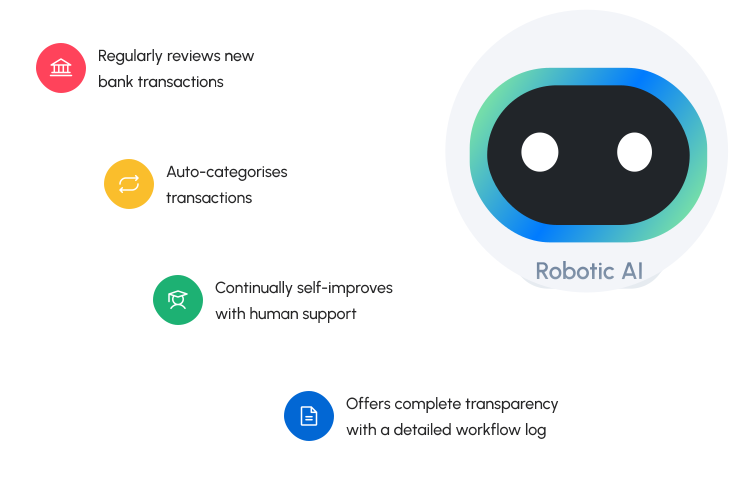
Invite AI Bookkeeper as a user in the accounting system. Booke runs the supported work on hosted infrastructure while the books stay in QBO or Xero and people review exceptions.
AI Bookkeeper uses bank feeds already connected to QuickBooks Online or Xero, with no additional bank connection to Booke AI.
AI Bookkeeper works as an invited user inside the QBO company or Xero organization the team already reviews.
Supported actions run on Booke-managed hosted infrastructure, not on the customer's computer.
In QBO, AI Bookkeeper performs categorization, matching, and reconciliation preparation. In Xero, it performs categorization, matching, and supported bank-feed reconciliation actions.
Low-confidence, missing-document, and policy-sensitive cases are routed to people for review and judgment.
Digits or Booke AI: which setup fits?
Digits fits when
- You want Digits to become the accounting platform and general ledger
- Live financials, invoicing, bill pay, AI bookkeeping, and reconciliation belong in the same platform evaluation
- Your team is prepared to use the documented QuickBooks cutover or manual migration route
Digits is the broader platform choice. Core and Pro add plan-gated capabilities, and partner-provided full-service accounting, CFO, and tax services are separate from the software subscription.
Booke AI fits when
- QuickBooks Online or Xero should stay in place
- You want supported categorization and matching, plus QBO reconciliation preparation or Xero supported bank-feed reconciliation actions
- You want hosted native-interface execution with human review for exceptions
Booke AI is the focused workflow choice. It is added to the QBO or Xero stack the buyer keeps and does not replace the ledger or Digits' broader platform scope.
How this comparison was built
Pricing and competitor capabilities come from public vendor sources checked Aug 23, 2026, and are not independent product testing. Booke AI statements reflect its confirmed QBO and Xero workflow.
Digits pricing, migration, and alternatives FAQs
What is the full Digits pricing matrix in 2026?
For individual businesses, Digits Essentials is $65 per business per month for solopreneurs and early-stage businesses, Core is $100 per business per month for small and growing businesses, and Pro is $250 per business per month for scaling businesses with internal finance teams. For solo accounting firms with up to 50 clients, Starter (firm-only) is $35 per client per month, Essentials is $65 per client per month, Core is $100 per client per month, and Pro is $250 per client per month. For mid-sized accounting firms with 50 or more clients, Starter Plus is $50 per client per month, Essentials Plus is $115 per client per month, Core Plus is $185 per client per month, and Pro is $250 per client per month. Enterprise accounting firms with 500 or more clients receive custom outcome-based pricing with annual commitments and platform terms. Digits publishes a 30-day free trial and no setup fee. Partner-provided full-service accounting, CFO, and tax services are not automatically included in the software subscription.
What happens to QuickBooks Online after a Digits cutover?
Digits help documentation says the buyer selects a cutover date, Digits imports QuickBooks data through that date, and Digits becomes the system of record afterward. The QuickBooks connection is archived, and no new QBO data syncs to Digits after cutover.
How does migration from Xero to Digits work?
Digits help documentation says Xero and other non-QuickBooks systems do not have a direct migration sync. The documented route uses a chart-of-accounts CSV or auto-created accounts, bank connections, opening-balance journal entries, and optional CSV imports for historical transactions.
Who should choose Digits?
Choose Digits when the business or firm wants an AI-native accounting platform and general ledger as its system of record. It fits an evaluation that includes live financial statements and dashboards, invoicing, bill pay, AI bookkeeping, and reconciliation. Core and Pro add their respective plan-gated capabilities.
Who should choose Booke AI?
Choose Booke AI when the books should stay in QuickBooks Online or Xero. AI Bookkeeper uses existing bank feeds with no additional connection to Booke AI, runs through the native interface on Booke-managed hosted infrastructure, performs supported platform-specific actions, and routes exceptions to humans.
What alternatives to Digits should teams compare?
Teams choosing a new ledger should compare Digits with QuickBooks Online and Xero on platform scope, migration, and pricing. Teams keeping QBO or Xero can compare Booke AI as a workflow-automation layer that does not replace the ledger.
Keep QBO or Xero and automate supported bank-feed work
If your accounting system should stay in place, review how Booke AI works through its native interface with hosted execution and human exception review.

