
What ChatGPT can and cannot do in bookkeeping
ChatGPT can explain accounting concepts, draft procedures, read connected financial accounts, and, with the QuickBooks app connected, create and send invoices. On its own, between your prompts, it does not run the daily bank feed: it will not categorize at scale, match documents automatically, or keep a learned per-client context.
That distinction matters: ChatGPT is useful for prompted analysis and connected actions, while ongoing bookkeeping requires a workflow that keeps working after the chat ends. Connected capabilities, availability, and data handling vary by plan, settings, region, app permissions, and the current product release. Confirm what is enabled before using it with client work.
What ChatGPT can actually help with in bookkeeping
ChatGPT works best when you give it a bounded question, the relevant context, and a clear output format. It can explain accruals, prepayments, revenue recognition, or the reasoning behind a journal entry. It can also turn your instructions into a month-end checklist, draft a standard operating procedure, compare two policy options, or prepare a plain-language client email. Treat those outputs as working drafts, not approved accounting conclusions.
When you paste or upload a document, spreadsheet, or transaction sample, ChatGPT can summarize it, identify questions to investigate, and suggest a review structure. The person responsible for the books still needs to verify source data, policy, coding, tax treatment, and final entries.
In ChatGPT Finances, eligible US Plus and Pro users can connect supported personal financial accounts through Plaid and ask about available spending, bills, subscriptions, net worth, and investments. This is distinct from bookkeeping a business ledger. Separately, the Intuit QuickBooks app can support invoice work from chat, including drafting, reviewing, creating, and sending invoices, when the app is connected and the user approves consequential actions. Access depends on the current app, plan, workspace, permissions, region, and configuration.
Where a general-purpose chatbot breaks
A prompt starts a discrete request. It does not assign the general chat ongoing responsibility for what happens tomorrow in every client file. Without a separate configured workflow, it does not continuously open daily bank feeds, apply each client's accounting policies, match every transaction to evidence, maintain an exception queue, or prepare the next close.
That distinction is operational, not semantic. A useful answer in one conversation is not the same as owning a recurring process. That continuity has to come from a configured process with ownership across the team's clients and reporting periods. Bookkeeping teams also need permissions, status visibility, documented review points, and a clear handoff when evidence is missing or judgment is required. ChatGPT can help a person reason through an exception, but the person or configured bookkeeping system must carry the work forward.
It also should not be assigned final close responsibility. A model can misread context, omit a constraint, or produce a plausible but incorrect answer. Someone accountable for the books must review material decisions, exceptions, reconciliations, and close outputs. If your goal is to design recurring bank-feed and review work, use this guide to automating bookkeeping workflows for the implementation layer.
Is it safe to put bank statements into ChatGPT?
No setup is universally safe for bank statements or client financial data. Before pasting or uploading anything, confirm client authorization, your firm's policy, the ChatGPT workspace, and the controls that apply.
In Free, Plus, and Pro personal workspaces, model-improvement sharing is on by default but can be turned off in Data Controls. Ordinary chats remain until deleted, and deletion is scheduled within 30 days, subject to documented legal and security exceptions. Temporary Chats are deleted within 30 days, are not used for training, and do not appear in history. They cannot access accounts connected through ChatGPT Finances.
Connected apps are different from pasted files. Apps can provide relevant data as context and may receive relevant chat context. Their own terms and privacy policies also apply. Business, Enterprise, and Edu inputs, outputs, and app information are not used for training by default.
ChatGPT Finances uses existing ChatGPT controls. Disconnecting it schedules synced account data for deletion within 30 days, but financial information already in chat history remains until that chat is deleted. Booke AI data handling is separate; review Booke AI data handling and security for published details.
Where a dedicated bookkeeping tool works differently
A dedicated bookkeeping workflow is designed to carry repeatable work from intake to review, rather than waiting for the next prompt. Booke AI's AI Bookkeeper works inside bank feeds already connected to QuickBooks Online or Xero, so the accounting platform stays the system of record and no duplicate bank connection is required.
For eligible transactions, it categorizes and matches records or supporting documents, then routes uncertain or policy-sensitive items to people. In QuickBooks Online, the workflow prepares work for reconciliation. In Xero, it performs supported reconciliation actions only for eligible, configured cases. Each client's learning context is isolated from other clients.
People still make policy decisions, handle exceptions, complete final review, and own the close. That boundary matters: dedicated workflow software can carry configured work between review points, but it does not remove professional accountability.
If you are still framing the category, understand AI bookkeeping operating models. If you are evaluating products after defining requirements, compare AI bookkeeping software. Those pages cover category and vendor-selection questions; this page stays focused on ChatGPT's role and limits.
Booke AI's ChatGPT tool for client email
Booke AI also has a separate ChatGPT email feature for turning client communication into assigned work. It connects the bookkeeping system and an authorized mailbox, then structures relevant messages as tasks for the team. This is an email-to-task workflow, not a claim that every message is processed, accounting entries are posted, or review is unnecessary.
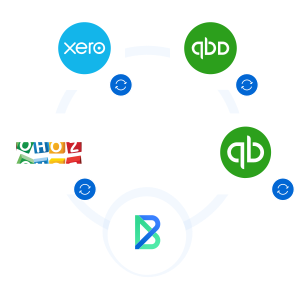
Connect Xero, QBO, or Zoho
Choose the bookkeeping system used for the client workflow. The books remain in that system while the email feature organizes relevant follow-up for the team.
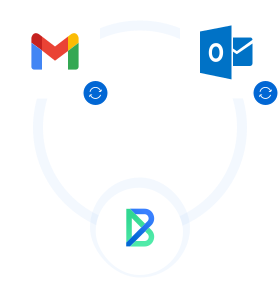
Connect Gmail or Outlook
Connect the mailbox used for client communication under the permissions and configuration selected by your team.
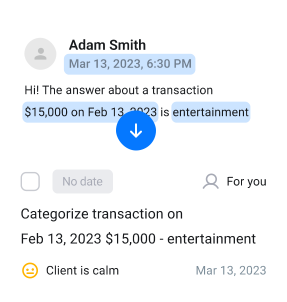
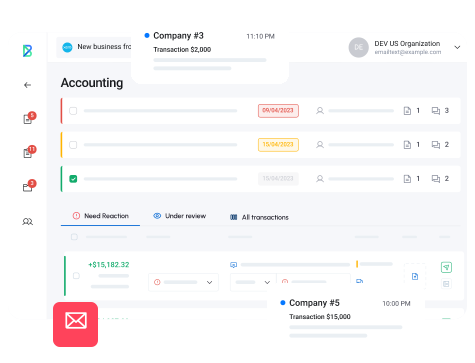
Convert relevant client email into structured team tasks
Relevant messages can become structured tasks with the client request and follow-up work organized for the team. People review the task and decide what bookkeeping action is appropriate.
ChatGPT and bookkeeping FAQs
Can ChatGPT replace a bookkeeper or a bookkeeping service?
No. ChatGPT can explain, draft, analyze supplied context, and perform supported connected actions. It does not take professional responsibility for complete and accurate books. A bookkeeper or service remains responsible for policy, evidence, exceptions, review, reconciliation, and close.
Can I connect ChatGPT to QuickBooks?
Yes, through the separate Intuit QuickBooks app when it is available and connected for your account. Current documentation supports invoice drafting, review, creation, and sending with user approval for consequential actions. This is not ChatGPT Finances, which connects supported financial accounts for personal-finance questions.
Is ChatGPT accurate enough for accounting?
Use it as a reviewable input, not the final authority. ChatGPT can make mistakes even when the answer sounds confident. Verify calculations, source documents, accounting policy, tax treatment, permissions, and every action that affects the books.
What does Booke AI's ChatGPT email tool actually do?
It connects Xero, QBO, or Zoho and Gmail or Outlook, then converts relevant client email into structured team tasks. It organizes follow-up work rather than posting bookkeeping entries. People still review the task and decide what accounting action to take.

