
For business owners
AI bookkeeping for small business owners
- New transactions categorized the way you've done it before, with the reason shown
- Payments matched to your receipts and bills, and missing ones requested
- You answer only what Booke can't know, like who a payment was for
- Corner Café$12.40Meals, same as your last 6 Corner Café paymentsCategorized
- Hicks Hardware$86.15Matched to the receipt you uploaded TuesdayMatched
- Bank transfer$1,200.00Who was this payment for?Question for you
Your bank feed, with and without Booke
Two ways owners use Booke
You keep the books yourself
You or someone on your staff keeps the books. Booke does the daily categorizing and matching inside the same QuickBooks Online or Xero file, so there is no new system to learn.
Your accountant reviews the books
Your accountant checks the books monthly or at tax time. Booke works between those checks, and you choose who answers its questions about unclear transactions: you or your accountant.
See how it works
A short tour of Booke in QuickBooks Online or Xero.
Read the transcript
Does the bank feed take you hours each month? Booke works through new transactions every day, and leaves you only the ones that need an answer.
To start, add your business, invite AI Bookkeeper to QuickBooks Online as a user, and choose your rules. Then the daily run begins. Your computer doesn't need to stay on.
Once a day, Booke goes through the bank feeds already connected to QuickBooks and categorizes new transactions, using your recent history and the categories you used before.
It matches payments to your receipts, bills and invoices. And when a receipt or bill is missing, it asks you for it.
Anything it isn't confident about, and anything unusual, waits for you with a suggested category. You only answer what Booke can't know, like who a payment was for.
Every change is logged, so you can check what was done, and when. Correct a transaction, and Booke uses your correction for similar ones later.
Start with one business.
Prefer to click through it yourself? Open the interactive demo
What Booke does in your books each day
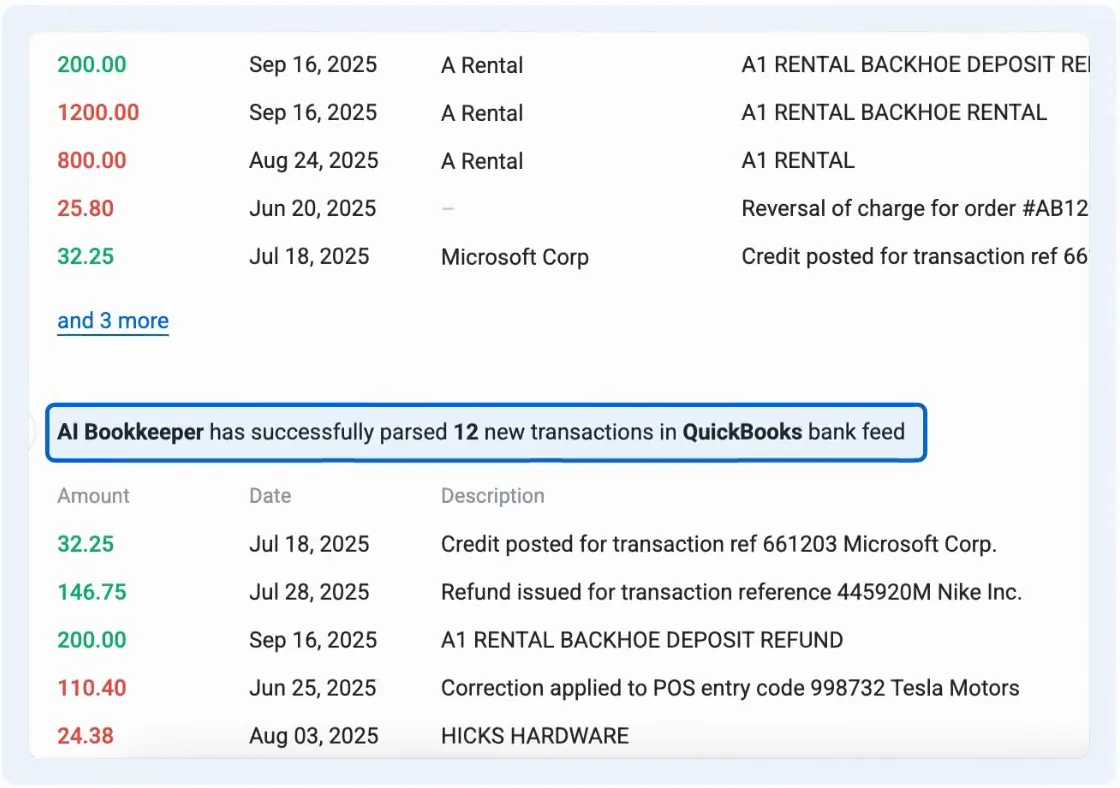
New bank transactions get categorized
- Runs once a day on the bank feeds already connected to QuickBooks Online or Xero
- Learns from your recent transactions and the categories you used before
- Follows rules you set, such as "every transaction over $50 needs a receipt"
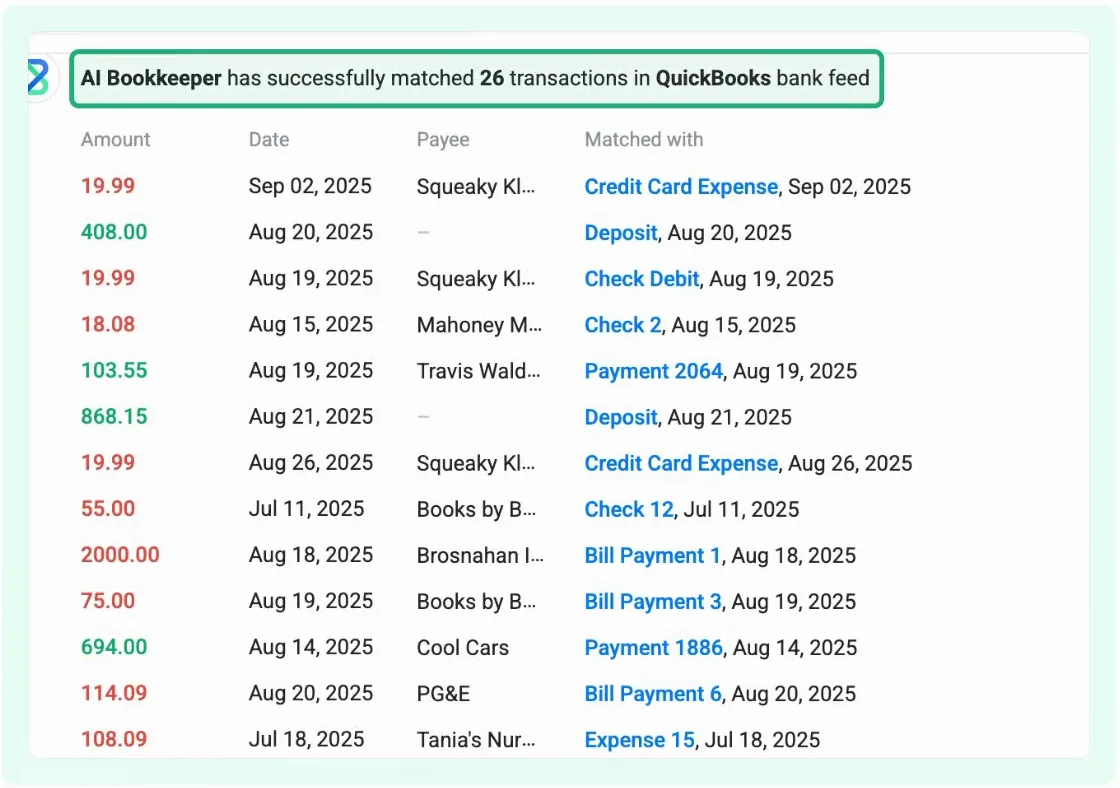
Payments get matched to receipts, bills and invoices
- Reads the receipts and bills you upload, so they can be matched too
- Requests a missing receipt or bill when it can't find one
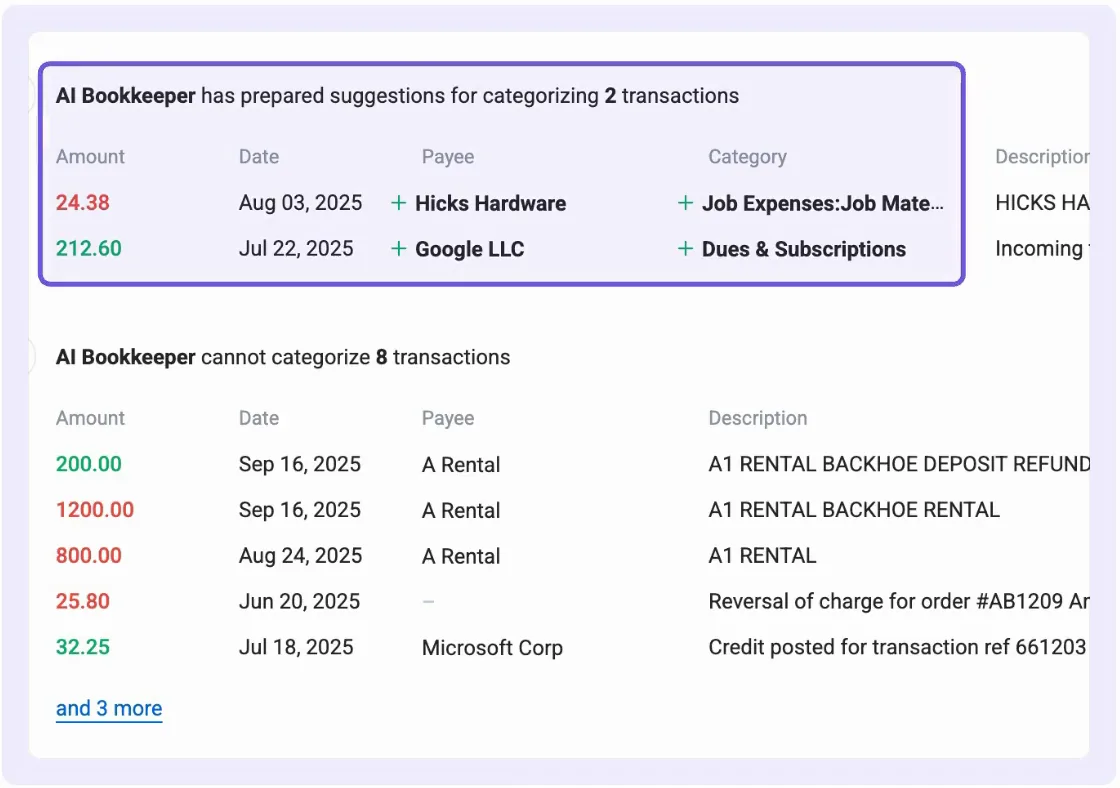
Unclear transactions wait for you
- Transactions it isn't confident about, and unusual ones, stay open with a suggested category and the reason for it
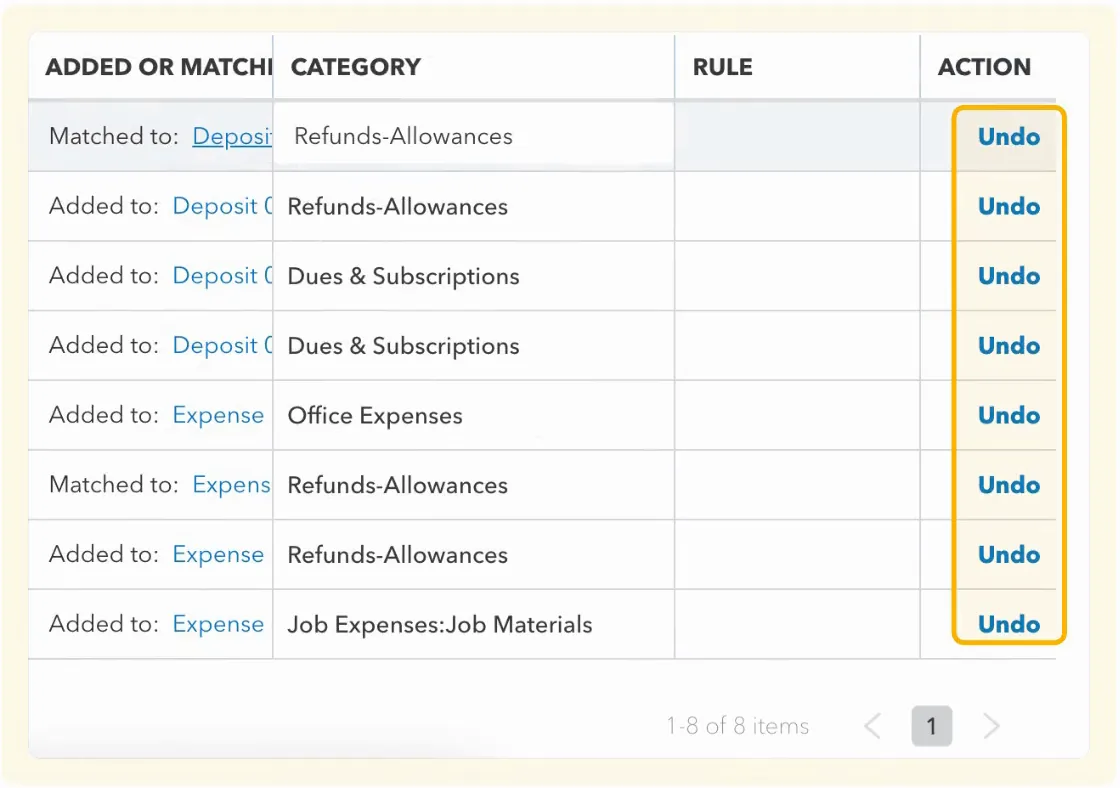
Every change is logged and explained
- See what was done and when, and the reason and earlier transactions behind each category
- Correct a transaction, and Booke uses the correction for similar ones later
Is Booke the right fit?
QuickBooks or Xero on their own
May be enough if their bank rules leave you little manual work.
Booke
A fit when the bank feed takes you hours each month and you would rather answer a few questions than categorize every line.
A bookkeeping service
Better if you want a person to run the day-to-day books for you.
Price and setup
Each business is billed separately. A business you add partway through a billing period is charged only for the time left.
Includes everything on this page, plus email and chat support.
- Create an account and add your business.
- Invite AI Bookkeeper to QuickBooks Online as a user, or connect Xero.
- Choose your rules and review settings.
- Booke starts its daily run. Your computer doesn't need to stay on.
Questions owners ask
Do I need to connect my bank again?
No. Your bank feed stays connected to QuickBooks Online or Xero as it is, and Booke works with it there.
Can I use Booke if my accountant reviews my books?
Yes. Booke works in the same QuickBooks Online or Xero file your accountant uses, so their monthly or year-end review goes on as before.
Will Booke record transactions without my approval?
Only within the rules and confidence thresholds you set. Low-confidence and unusual transactions wait for review.
Is my financial data shared with other businesses?
No. Each business gets its own AI model, and Booke never shares one customer's data with another. All data is encrypted with AES-256, and Intuit and Xero audit Booke's security setup every year.
Start with one business
More on keeping your books
Business Expense Categories Mapped to Schedule C
Business expense categories mapped to Schedule C tax lines, with a worked week of bank transactions.
Owner Contribution or Loan? How AI Booked $5,000
How to record money you put into your business, with a $5,000 example handled by three AI models.
Bank Reconciliation: Steps, Formula and Example
How to check your books against a bank statement, with a worked month.
How to Categorize Transactions in Xero
The ways Xero lets you categorize bank transactions and keep your accounts easy to read.

