Claude Haiku 5.5 for small business bookkeeping: we tested it on a month of books

Claude Haiku 5.5 handled the sorting part of our test books well. On a made-up month of small-business books it matched 33 to 34 of our 40 checks in four runs, got none wrong, and cost $0.0074 to $0.0081 for the month at its default setting. Low effort did as well as high for 55% of the price. It still asks about money between you and the business, and that call should stay yours.
We build Booke AI, bookkeeping software that works inside QuickBooks Online and Xero. The five prompts we used are below, ready to copy, with what Haiku 5.5 returned for each.
What is Claude Haiku 5.5?
Claude Haiku 5.5 is Anthropic's new small model and, per token, its lowest-priced current Claude model, released on October 7, 2026¹. Anthropic calls it "the cheapest, fastest, and most capable small model we've ever released"² and says it "reliably handles repetitive work like summaries and classification"³, which is the kind of work a bank feed needs.
What matters for an owner:
Price: $0.10 per million input tokens and $0.50 per million output tokens for prompts up to 100,000 tokens; $0.50 and $2.50 above that⁴. Tokens are the small chunks of text a model reads and writes, and you pay for both.
Effort setting: the first Haiku⁵ where you choose how much it reasons before answering. More effort means more reasoning tokens on the bill.
Context: it can read up to 1 million tokens at once⁴, far more than a month of bank lines.
Where it runs: the Claude apps on the web and on iOS and Android⁶, the Claude Platform and Claude Code, and through Amazon Web Services, Google Cloud and Microsoft Azure¹. Anthropic says that "on average, it costs around 75% less to run than Claude Haiku 4.5."²
How much does it cost to review a month of books?
Under a cent at low and default effort. We ran the same five bookkeeping jobs (40 checks) four times and recorded the bill for each full month:
Setting | Checks matched (of 40) | Misses | Cost for the month |
|---|---|---|---|
Low effort | 34 | 0 | $0.0065 |
Default, run 1 | 33 | 0 | $0.0074 |
Default, run 2 | 34 | 0 | $0.0081 |
High effort | 33 | 0 | $0.0118 |
Every check it didn't match was a question: it asked about 6 or 7 lines per run that our answer key had settled from the data. These are model costs for one pasted month through the API (pay-per-use developer access), not the price of an app.
On the same 40 checks, GPT-6.1 Sol matched 30 in both of its runs with no misses, and DeepSeek V4.1 Flash⁷ matched 34 and 33 with one miss, at $0.017 and $0.023 for the month. Haiku 5.5's most expensive month came in under DeepSeek's cheaper one.
Try it on your own books
Pick a month you've already closed, so you can check every answer against what you booked.
Export that month's bank and card lines as a CSV, or copy them in, without the categories you gave them.
Write a short context block (template below) and a list of the vendors you pay every month (template further down).
Paste one job at a time: the job prompt, the rules block, then your data. If your tool has an effort setting, start it at low.
Check the label on each line before you trust a total, answer the model's questions, and post nothing you haven't approved.
The rules block goes under every job prompt:
Review only. Use only the data I paste. Don't post, change or delete anything in my books. Don't guess what a purchase was for from the merchant name alone: if you can't tell, mark it ASK and write one short question I can answer. Flag anything that needs my accountant instead of deciding tax treatment.
Above your lines, paste a context block like ours. Swap in your own business, account endings and chart of accounts:
Business: Fernwood Candle Co. LLC, single-member LLC, owner Maya Rivera. Books in QuickBooks Online. Month: September 2026. All data is synthetic.
Accounts: Business Checking ...2210; Business Savings ...4411; Chase Ink business card ...9031; owner's personal checking ...7790; owner's personal Visa ...5512; SBA loan #0034.
Chart of accounts: Sales; Wholesale Sales; Refunds; Materials; Shipping & Packaging; Advertising; Software & Subscriptions; Merchant Fees; Office Supplies; Travel; Meals; Interest Expense; Owner's Draw; Owner Contribution; SBA Loan; Chase Ink Card; Business Savings; Accounts Receivable.
Include every account ending: the savings transfer and the card autopay only look like your own accounts through them.
The five bookkeeping jobs and what Haiku 5.5 returned
1. Clear the Uncategorized pile
I keep my books in QuickBooks Online. Below are bank lines sitting in Uncategorized, my business context and my chart of accounts. For each line give: date, description, amount, suggested account from my chart (or TRANSFER with the account it moves to, or ASK, or ACCOUNTANT), and a one-line reason. Lines that move money between my own accounts or pay a loan or card are not expenses or income. End with the list of questions for me.
9 of 10 lines matched in both default runs and at high effort. The transfer to savings and the $3,412.18 card autopay came back as transfers, the $2,200 IRS payment went to ACCOUNTANT, and Venmo, an Amazon order and an unexplained $1,850 deposit came back as ASK. Every run asked about one supplier order, $642.18 from CandleScience, that a candle company would book to Materials. Low effort also asked whether a $105 Shopify charge was the plan fee or a payment fee.
2. Split a personal card you used for the business
I paid some business costs with my personal card. For each line, mark BUSINESS, PERSONAL or ASK, with the account from my chart for business lines. Treat refunds as reducing the cost they refund. Then give the net total of business lines that I should record as paid with personal funds, and the questions for me.
Google Workspace was business in every run, and a $35.00 supplier refund always reduced the order it refunded. Fuel, a flight, groceries and a Target purchase came back as questions, which is fair. The totals differed: low effort gave $219.95, the right answer, while other runs gave $35.20 confirmed or $16.80, each correct for the lines that run had marked business, so check the labels before you trust the total.
3. Explain why Stripe paid you less than you sold
My Stripe sales are higher than what reached my bank. Using the Stripe balance export and my bank deposits, explain the difference line by line: gross sales, card fees, refunds, disputes and any other deductions, per payout. Check that each payout equals a bank deposit. Show the totals I should record so that sales, fees and refunds are separate. Tell me anything I need to act on.
All four runs explained the full $213.50 gap between $1,072.00 in sales and $858.50 deposited: $33.50 in card fees, a $45.00 refund, a $120.00 dispute and a $15.00 dispute fee. Each matched both payouts to the bank and told the owner to check whether the dispute was won. One run wrote a subtotal of 408.00 where its own rows add up to 428.00; the totals around it were right. A subtotal isn't one of our 40 checks, so the score doesn't show it.
4. Sort owner money, loan payments and transfers
For each checking line, say what it is: income, expense, owner contribution, owner's draw, loan payment (split principal and interest if the data shows it), card payment, transfer between my accounts, or payment of an existing invoice. Use my notes. Mark ASK when the data doesn't say.
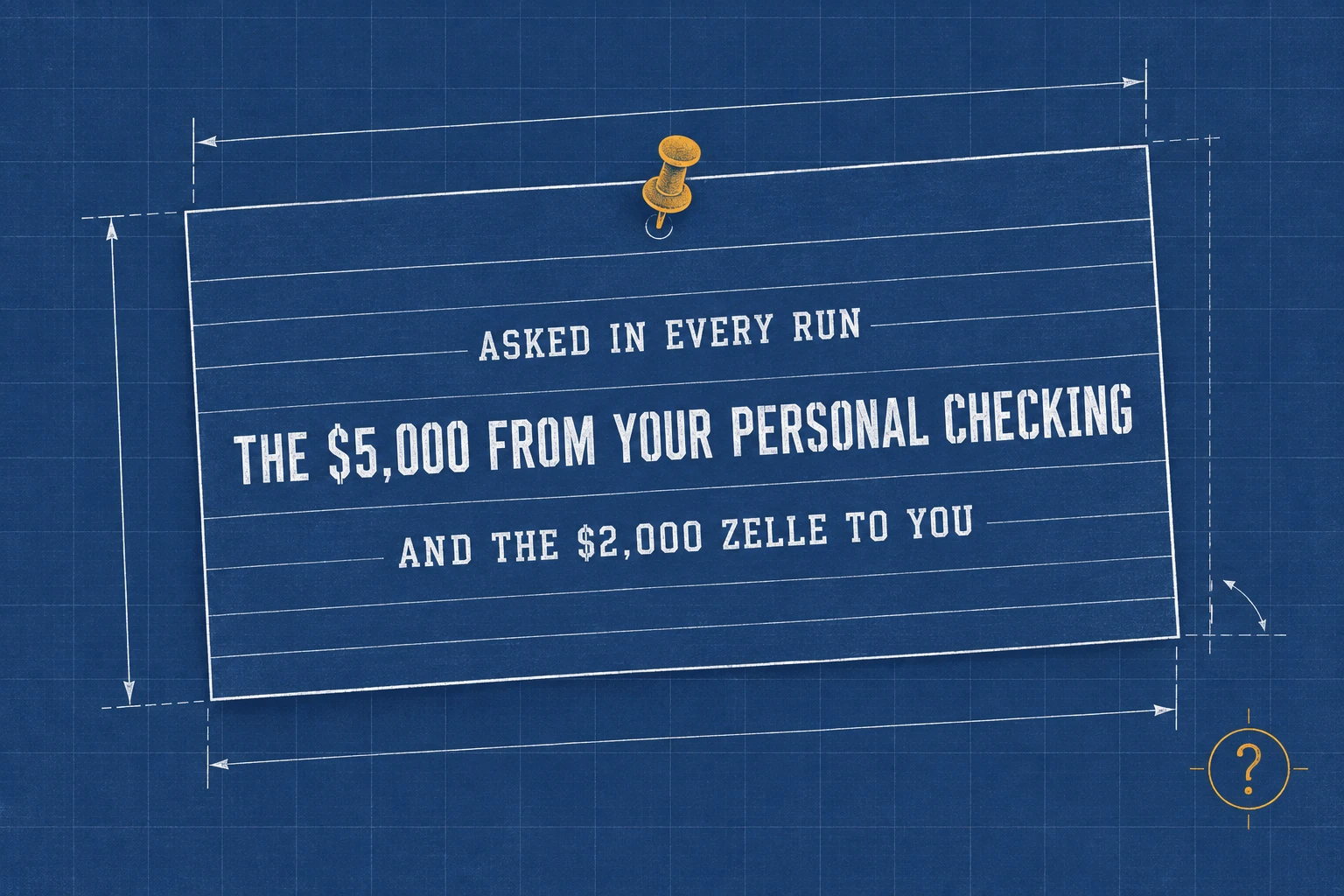
Every run split the $1,150.00 loan payment into $980.40 principal and $169.60 interest from the statement and applied a $750 Zelle to the open invoice. Every run also asked about the $5,000 that came in from the owner's personal checking and the $2,000 Zelle to the owner. Only you know whether that $5,000 was a contribution or a loan, so we'd keep both questions.
5. Run the month-end checks
Check my September activity against earlier months and my receipt list. Find: possible duplicate charges, subscriptions whose price changed, and charges of 75 dollars or more with no receipt. Don't flag repeat purchases as duplicates unless the evidence points to one order charged twice. Give a short to-do list.
7 of 7 in every run: a $312.40 order charged twice with one receipt, two subscription price rises, and two charges over $75 with no receipt. No run flagged either trap as a problem: two separate $12.40 postage charges, and an $18.20 charge under the receipt threshold that three runs only asked about.
Which effort setting should you use?
Start at low. High effort used 2.5 times the reasoning tokens of low (16,851 against 6,665) and cost $0.0118 for the month against $0.0065. It matched one check fewer, which is within the run-to-run difference we saw between two identical default runs (33 and 34). The extra thinking went into questions, plus a few unscored notes; the most concrete was a check that every Stripe fee equals 2.9% plus $0.30, which found nothing wrong. A chat app may not show the setting at all.

Five lines that removed the vendor questions
Most of Haiku's extra questions were about vendors you pay every month. With this list appended, two more runs of jobs 1 and 2 matched 20 of 20 with no extra questions and gave $219.95 for the personal card:
My regular vendors (what I know about my own business):
- CandleScience: wax, wicks and jars for my candles → Materials. Refunds from them reduce Materials.
- Etsy: fees for my shop's listings → Merchant Fees.
- Shopify: my online store subscription → Software & Subscriptions.
- USPS: postage for customer orders → Shipping & Packaging.
- Netflix and Spotify: personal.
Lines the list doesn't mention, like the Venmo payment, the $1,850 deposit and the flight, still came back as questions. In our earlier tests the same list cut the extra questions in jobs 1 and 2 to zero for GPT-6.1 Sol and DeepSeek too.
What to keep for yourself
Money between you and the business, in either direction.
Tax payments, which belong with your accountant.
Disputes, until you know whether you won.
Deposits, Venmo payments and Amazon orders you can't place without a receipt.
Personal-card lines only you can explain.
Every total you are about to post, added up again.
How we tested
The kit is a made-up September for Fernwood Candle Co., a single-member LLC on QuickBooks Online: five jobs and 40 checks, with an answer key fixed on October 4, 2026 before any model saw the data and never sent to a model. Haiku 5.5 ran on October 8 through OpenRouter (a service that resells access to many AI models) as anthropic/claude-haiku-5.5, served by Anthropic: two runs at default effort, one at low and one at high, plus two vendor-list runs of jobs 1 and 2. Each job was one message: the job prompt, the rules block, one more line ("Do not run commands or read files; answer only from the data below.") and the data. There was no connection to a live QuickBooks or Xero file. Our chart had 18 accounts and we didn't test a longer one; one Claude Code user⁸ who sorted customer inquiries into 77 categories got 60% right from Haiku 5.5 against 81% from Sonnet 5.5. The full write-up with every run is on X⁹.
Where Booke fits
Pasting a month into a chat works for a one-off check, but you export, paste and copy every approved answer back yourself, every month. Booke puts it this way: "No new platform. No new bank connections. Just an AI Bookkeeper working directly inside QuickBooks Online and Xero." On QuickBooks Online, "Unclear transactions are flagged for a human decision, and approved changes improve future QuickBooks automation." It also works with Xero. Booke says it automates up to 80% of manual bank-feed work; that is Booke's claim, not something this test measured. It costs $129 per business per month.
FAQ
How expensive is Claude Haiku 5.5?
$0.10 per million input tokens and $0.50 per million output tokens for prompts up to 100,000 tokens, and $0.50 and $2.50 above that⁴. In our test a full month of five bookkeeping jobs cost $0.0065 at low effort, $0.0074 to $0.0081 at default and $0.0118 at high.
Is Claude Haiku 5.5 cheaper than Sonnet 5.5?
Per token, yes: Sonnet 5.5 lists at $2 per million input tokens and $10 per million output tokens⁴, twenty times Haiku 5.5's price for prompts up to 100,000 tokens. We didn't run Sonnet 5.5 on this kit, so we can't compare their accuracy on these jobs. Our Opus 5.5 test covers what a larger Claude model does with bookkeeping.
Can I use Claude Haiku 5.5 for free?
Haiku 5.5 runs in the Claude apps: Anthropic published its system prompt for claude.ai and the iOS and Android apps on launch day⁶. Claude's pricing page¹⁰ lists Haiku among the models on the Free plan without naming the version. Through the API, which is how we ran the test, you pay per token.
Is Claude Haiku 5.5 any good?
For sorting a small business's bank lines, yes in our test: 33 to 34 of 40 checks in four runs with none wrong, and it asked instead of guessing on the rest. Our chart had 18 accounts; we didn't test a longer one.
Keep reading
Claude Opus 5.5 for small business bookkeeping: we tested it
Connect an AI agent to QuickBooks: what it read, what it wrote, and whose name the audit log shows
Sources
Anthropic, Introducing Claude Haiku 5.5, October 7, 2026.
Claude (@claudeai), launch post on X, October 7, 2026.
Claude (@claudeai), post on repetitive work and classification, October 7, 2026.
Anthropic, Claude Haiku 5.5 model overview: prices, context window and the Sonnet 5.5 price. Read October 8, 2026.
Claude (@claudeai), post on the effort setting, October 7, 2026.
Anthropic, Claude Haiku 5.5 system prompt for claude.ai and the iOS and Android apps, October 7, 2026.
Vadim Chumak (@vadimvchumak), DeepSeek V4.1 Flash on the same 40 checks, X, October 5, 2026.
Takuya (@taku41477996), Claude Code test of Haiku 5.5 and Sonnet 5.5, X, in Japanese. Read October 8, 2026.
Vadim Chumak (@vadimvchumak), this test with every run, X, October 8, 2026.
Anthropic, Claude plans and pricing. Read October 8, 2026.