ChatGPT Finances for small business: what it sees, and 5 bookkeeping prompts we tested
ChatGPT Finances lets people in the US connect bank accounts to ChatGPT, and since October 2 it's on the Free and Go plans too. OpenAI launched it as a personal finance experience. If you run a small business on QuickBooks Online or Xero, keep the business accounts out of it and paste one export at a time instead, with a prompt that tells ChatGPT not to guess.
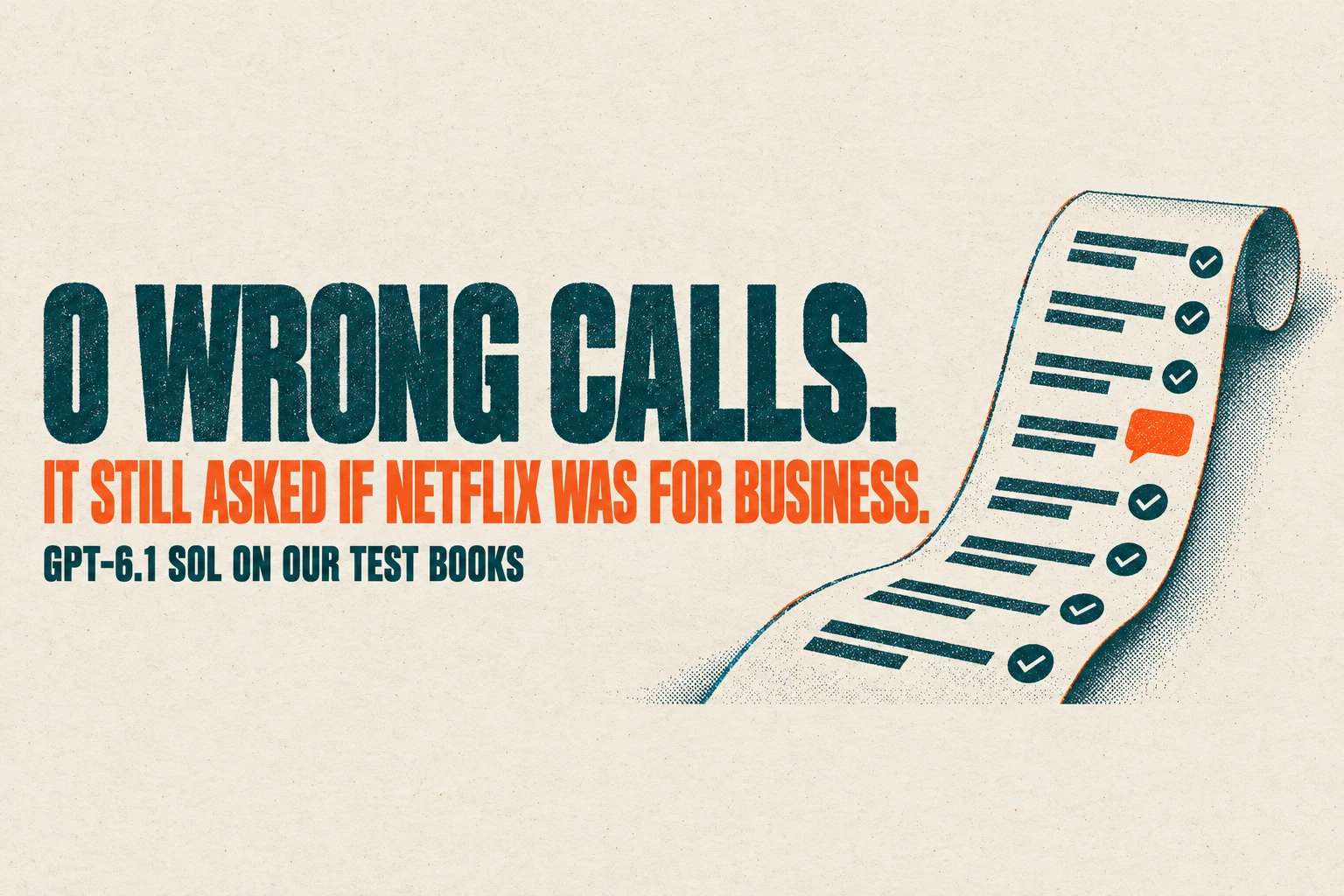
We tested that on GPT-6.1 Sol, the model OpenAI released on September 29. On a made-up month of small-business books it made zero wrong calls in 40 checks, explained a $213.50 Stripe gap to the cent, and still asked if Netflix was for business. The five prompts, the rules block and the five lines that removed most of its questions are below.
We build Booke AI, an AI Bookkeeper that works inside QuickBooks Online and Xero. You don't need it for anything in this article.
What is ChatGPT Finances?
Finances is a section of ChatGPT that connects your financial accounts and shows a dashboard of "spending, bills, subscriptions, net worth, investments, and your credit score in one place" (OpenAI Help). To start, open Finances in ChatGPT and select Get started; after that you can ask about your data in any chat by typing @finances.
OpenAI announced it on May 15, 2026 as a preview for Pro users in the US, "with support for more than 12,000 financial institutions" (OpenAI). On October 2, 2026, OpenAI added: "Finances in ChatGPT is now rolling out to Free and Go users in the U.S."
So yes, ChatGPT Finances is free to use if you're in the US. The help page lists it for Free, Go, Plus and Pro users in the US on web, iOS and Android, and names no other country.
Can ChatGPT access my bank account?
Only if you connect it. Bank and card accounts link through Plaid, and credit report data through Experian, as two separate connections. OpenAI's launch post says Intuit support is "coming soon".
Once connected, ChatGPT reads and explains the data. The help page says it cannot move money, pay bills, change account settings, make trades, open or close accounts, or file taxes, and that it doesn't act as your financial, legal, tax or investment adviser.
An AI agent that signs in with your bank password is a different case: to the bank, it is you. Our guide to AI agents in bank accounts covers who pays if one moves money and what to check.
Is ChatGPT Finances safe to connect?
That's your call, but these are the controls OpenAI documents:
Training: "Your conversations with Finances follow the same model training settings you choose across ChatGPT." Check Settings > Data controls before you connect anything; that's where OpenAI says you change it.
Temporary chats: in a temporary chat, "ChatGPT won't access your connected financial accounts."
Disconnecting: disconnecting Finances "removes your connected financial data from ChatGPT", but it "does not delete information already in your conversation history". Delete those chats separately.
Pasting files is a different question from connecting accounts. Our guide to what ChatGPT can and can't do in bookkeeping covers what happens to bank data you paste into a chat.
Can I use ChatGPT Finances for my business books?
The help page describes personal finances, and the word "business" doesn't appear on it. Its sample questions are about grocery budgets, mortgages and credit utilization.
The same page warns that a spending breakdown "may look inaccurate if transfers, credit card payments, reimbursements, or duplicate pending transactions are counted as spending. And as always, AI can make mistakes." In a business, those are the exact lines that throw off a profit and loss report: a card payment booked as an expense, an owner's top-up booked as sales.
So for the business, we skipped the connection and tested something any owner can do today: export one file, paste it with a prompt, and keep the decisions.
Start with the rules block
Paste this under each prompt below, then paste your data. This is the exact block our test sent with every job.
Review only. Use only the data I paste. Don't post, change or delete anything in my books. Don't guess what a purchase was for from the merchant name alone: if you can't tell, mark it ASK and write one short question I can answer. Flag anything that needs my accountant instead of deciding tax treatment.
Then add a few lines of context: your business, the month, which accounts belong to the business and which are yours, and your chart of accounts. GPT-6.1 Sol used those account numbers to tell a transfer from an expense, so this block does a lot of the work. Ours, for a made-up candle shop (swap in your own names, account endings and accounts):
Business: Fernwood Candle Co. LLC, single-member LLC, owner Maya Rivera. Books in QuickBooks Online. Month: September 2026. All data is synthetic.
Accounts: Business Checking ...2210; Business Savings ...4411; Chase Ink business card ...9031; owner's personal checking ...7790; owner's personal Visa ...5512; SBA loan #0034.
Chart of accounts: Sales; Wholesale Sales; Refunds; Materials; Shipping & Packaging; Advertising; Software & Subscriptions; Merchant Fees; Office Supplies; Travel; Meals; Interest Expense; Owner's Draw; Owner Contribution; SBA Loan; Chase Ink Card; Business Savings; Accounts Receivable.
List every account you expect to use, including Owner's Draw, Owner Contribution and your loan and card accounts. If you're unsure which expense accounts to set up, start with our list of business expense categories.
5 bookkeeping prompts we tested on GPT-6.1 Sol
Job | Checks | Matched our key | Extra questions |
|---|---|---|---|
1. Clear Uncategorized | 10 | 7 | 3 |
2. Split a personal card | 10 | 5 | 5 |
3. Explain a Stripe payout | 7 | 7 | 0 |
4. Sort owner money and a loan | 6 | 4 | 2 |
5. Month-end checks (incl. 2 decoys) | 7 | 7 | 0 |
Each run | 40 | 30 | 10 |
No job had a wrong call in either run. An extra question means the model asked where our answer key had an answer the data could support. Both runs had the same outcome on every item, and neither flagged a decoy. With a five-line vendor list, jobs 1 and 2 matched on all 20 checks.
The calls it got right are the ones that do the most damage when they go wrong. It kept a $3,412.18 card payment and a $1,500 savings move out of expenses, sent a $2,200 IRS payment to the accountant and traced a Stripe gap to four kinds of deduction.
Job 1. Clear the Uncategorized pile
I keep my books in QuickBooks Online. Below are bank lines sitting in Uncategorized, my business context and my chart of accounts. For each line give: date, description, amount, suggested account from my chart (or TRANSFER with the account it moves to, or ASK, or ACCOUNTANT), and a one-line reason. Lines that move money between my own accounts or pay a loan or card are not expenses or income. End with the list of questions for me.
Our file had ten lines from the business checking account. Both runs made the same calls:
ONLINE TRANSFER TO SAV ...4411 (-$1,500.00): TRANSFER to Business Savings.
CHASE CREDIT CRD AUTOPAY ...9031 (-$3,412.18): TRANSFER to the business card, not an expense.
IRS USATAXPYMT (-$2,200.00): ACCOUNTANT. One run asked whether it was "Maya’s personal obligation or the business’s obligation".
DEPOSIT MOBILE 7741 (+$1,850.00): ASK, including whether it pays an invoice already in QuickBooks.
Venmo and an Amazon order: ASK, as they should be.
The two transfers are 57% of the $8,637.23 that left the account in this file. Booked as expenses, they would have overstated September costs by $4,912.18. The deposit matters as well: booked as sales, an unexplained $1,850 can count revenue you already invoiced, or turn an owner top-up into income.
It also asked about the CandleScience order, the Shopify charge and the USPS line. One run wrote: "Merchant name alone does not establish what was purchased or its business purpose." For a candle maker those are wax, the store subscription and postage.
You decide: the answers to its questions, and the IRS line with your accountant.
Job 2. Split a personal card you used for the business
I paid some business costs with my personal card. For each line, mark BUSINESS, PERSONAL or ASK, with the account from my chart for business lines. Treat refunds as reducing the cost they refund. Then give the net total of business lines that I should record as paid with personal funds, and the questions for me.
With only the card statement, the model marked Google Workspace as business, because the descriptor carried the business name, and asked about everything else. For Netflix, one run asked: "Was this subscription for business, personal use, or both?" It reported $16.80 of business costs. It did net the $35 CandleScience refund against its $219.75 order and kept it out of income.
A stranger reading your card statement can't know that CandleScience sells you wax. You can.
The five lines that removed most of the questions
So we wrote down what the owner knows:
My regular vendors (what I know about my own business):
- CandleScience: wax, wicks and jars for my candles → Materials. Refunds from them reduce Materials.
- Etsy: fees for my shop's listings → Merchant Fees.
- Shopify: my online store subscription → Software & Subscriptions.
- USPS: postage for customer orders → Shipping & Packaging.
- Netflix and Spotify: personal.
We ran jobs 1 and 2 twice more with this list pasted after the data. Both runs matched our key on all 20 lines, and the extra questions went from 8 per run to 0. In job 2, one run showed the math: "$16.80 + $18.40 + $219.75 − $35.00 = $219.95".
On the personal card, confirmed business costs went from $16.80 to $219.95, personal lines from $0.00 to $34.98, and the amount still waiting on your answer from $841.00 to $602.87.
The list names the account for each vendor, so it supplies part of the answer by design. Venmo, Amazon, the mobile deposit, Whole Foods, Shell, Delta and Target still came back as questions, and the IRS line still went to the accountant.
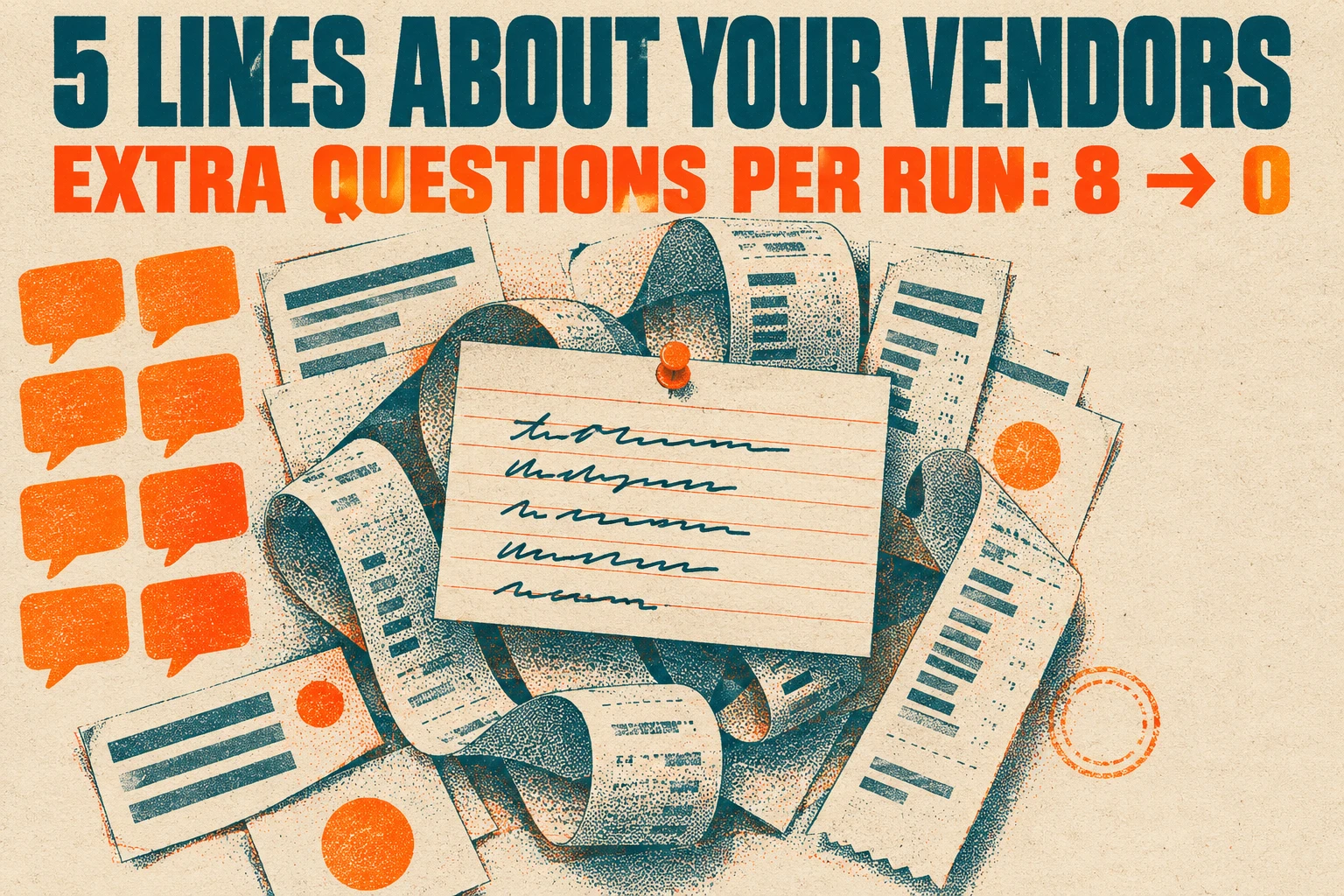
Keep your own version of this list and paste it after your data.
You decide: the trip, fuel, Whole Foods and Target lines. The business total is what you record as costs paid with personal funds.
Job 3. Find out where your Stripe money went
My Stripe sales are higher than what reached my bank. Using the Stripe balance export and my bank deposits, explain the difference line by line: gross sales, card fees, refunds, disputes and any other deductions, per payout. Check that each payout equals a bank deposit. Show the totals I should record so that sales, fees and refunds are separate. Tell me anything I need to act on.
Stripe said the test shop sold $1,072.00. The bank said $858.50 arrived. Both runs found all of the difference. One put it in a sentence: "The $213.50 difference consists of $33.50 in card fees, $45.00 in refunds, a $120.00 dispute deduction, and a $15.00 dispute fee."
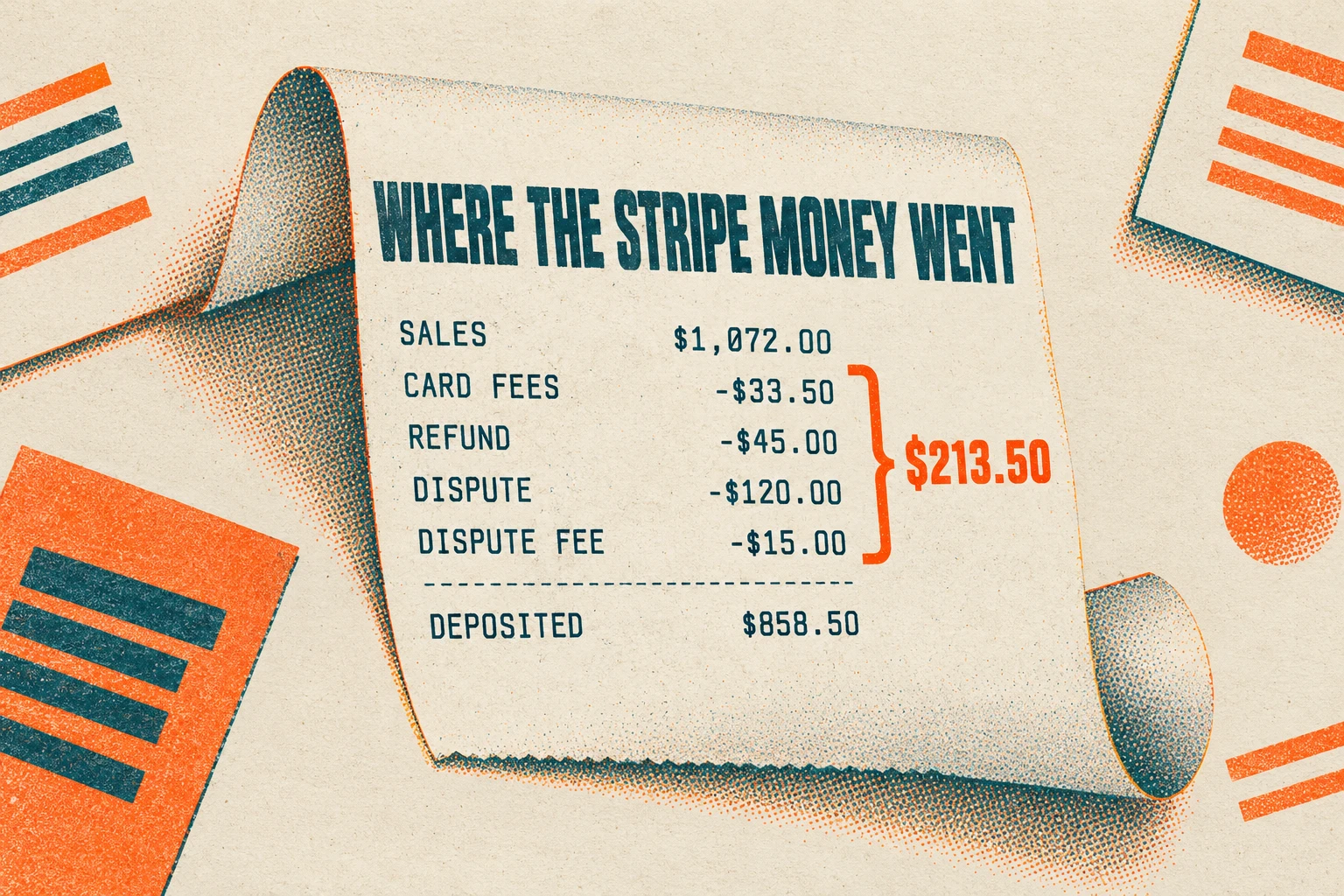
Payout A was $524.00 of sales less $16.71 in fees and the $45.00 refund: $462.29. Payout B was $548.00 less $16.79 in fees, the $120.00 dispute and its $15.00 fee: $396.21. Each matched a bank deposit to the cent. Both runs noted that the bank lines don't carry Stripe's payout IDs, so the pairing rests on amount and date. One warned that booking the deposits as sales "would double-count revenue if the charges are already recorded."
You decide: whether to fight the dispute, and how your accountant wants the $120 recorded.
Job 4. Sort owner money, loan payments and transfers
For each checking line, say what it is: income, expense, owner contribution, owner's draw, loan payment (split principal and interest if the data shows it), card payment, transfer between my accounts, or payment of an existing invoice. Use my notes. Mark ASK when the data doesn't say.
Paste the loan statement line and your open invoices as notes. Ours:
SBA loan #0034 statement, payment 2026-09-05: total 1,150.00 = principal 980.40 + interest 169.60.
Open invoices in QuickBooks: INV-1043, Okafor Gift Shop (contact: J. Okafor), 750.00, due 2026-09-30.
Six lines moved $13,812.18 through the checking account. Only $169.60 of it is an expense, the loan interest. The model split the $1,150 SBA payment into $980.40 principal and $169.60 interest, which is how QuickBooks records a loan payment (Intuit). It matched a $750 Zelle from J. Okafor to the open invoice: "apply against Accounts Receivable rather than recording sales again" (one run).
On the owner lines it pushed back on our key, and it had a point. Our key called the $5,000 from the owner's personal checking a contribution and the $2,000 Zelle to the owner a draw. Both runs labelled them "possible" and asked. For the $5,000, one run asked: "Was this a contribution or a loan to the business?" Only you know which it was. Both runs added that if either line involves an owner loan, your accountant should confirm how it's recorded.
You decide: contribution or loan, and draw, reimbursement or loan repayment.
Job 5. Run the month-end checks
Check my September activity against earlier months and my receipt list. Find: possible duplicate charges, subscriptions whose price changed, and charges of 75 dollars or more with no receipt. Don't flag repeat purchases as duplicates unless the evidence points to one order charged twice. Give a short to-do list.
The model found all five problems we planted, in both runs:
the same CandleScience order, 48650, charged $312.40 on two days with one confirmation ("Verify before disputing");
Google Workspace up from $14.00 to $16.80;
Shopify up from $39 to $105;
two charges over $75, at Staples and WebstaurantStore, with no receipt.
That's $312.40 of possible double billing, $68.80 a month in higher subscriptions and $228.75 of spending with no receipt. It left both decoys alone: two identical $12.40 USPS charges that each had a receipt, and an $18.20 Office Depot charge under the $75 threshold.
You decide: which charge to dispute, and which receipts to chase.
Which ChatGPT model did we test?
GPT-6.1 Sol. OpenAI released it on September 29, 2026 for Plus, Pro, Business, Enterprise and Edu users in ChatGPT Work and Codex; it isn't on the Free plan or in Chat mode yet (OpenAI). OpenAI says it beats Opus 5.5 with fallbacks on GDP.pdf, a benchmark of professional questions over complex PDFs, at less than half the cost per task. That's OpenAI's benchmark, not our result.
We didn't test the model behind Finances on the Free plan, and we didn't test Finances itself. If you use another model, run the same prompts on a month you already know the answers to before you trust it.
How we tested
Books: a made-up single-member LLC, Fernwood Candle Co., for September 2026: 10 Uncategorized bank lines, a 10-line personal card statement, a Stripe export with 10 rows and 2 deposits, 6 checking lines with a loan note and an open invoice, and 14 lines of card activity with a receipt list.
Answer key: 40 items, including 2 decoys, written before any run and never shown to the model.
Model: GPT-6.1 Sol through Codex with a ChatGPT account, high reasoning effort, read-only, two runs per job on October 4, 2026. Each run started empty and saw only its own prompt and data, plus one Codex-only line telling it not to run commands or read files. The vendor-list variant ran jobs 1 and 2 twice more.
Scope: one model on one small synthetic month, scored against our key. No bank was connected. Matching a key isn't the same as closed books, which is why every job ends with what you decide.
Where Booke fits
Look at what you'd repeat by hand every month: exporting files, keeping the vendor list current, pasting it after each export and answering the same questions again. Booke works on the recurring part, the bank-feed review, inside your books. "No new platform. No new bank connections. Just an AI Bookkeeper working directly inside QuickBooks Online and Xero" (Booke).
In QuickBooks Online it learns your chart of accounts, vendors, classes and prior coding decisions, and "unclear transactions are flagged for a human decision, and approved changes improve future QuickBooks automation." It also works in Xero. The site is plain about the limit: "AI can reduce repeatable processing, but it does not remove the need for professional judgment" (Booke).
Booke says it automates up to 80% of manual bank-feed work in QuickBooks Online and Xero. That's our company's claim, not a result from this test. To see what it's worth to you, take what you pay for bookkeeping each month, subtract the cost of the time you'd still spend reviewing exceptions, and subtract $129 a month, the price per business. AI bookkeeping for small business owners shows what that daily work looks like in QuickBooks Online or Xero.
FAQ
Is ChatGPT Finances available outside the US?
Not according to OpenAI's help page, which lists it for the US only, on the Free, Go, Plus and Pro plans.
Does OpenAI train on my ChatGPT Finances chats?
They follow the same model training setting you choose for the rest of ChatGPT, which OpenAI says you change in Settings > Data controls. Temporary chats don't access connected accounts.
Can ChatGPT Finances fix a wrong category?
Inside Finances you can ask ChatGPT to "reclassify anything that looks wrong", per OpenAI's help page. That fixes how Finances reports your spending. The help page says ChatGPT can't take financial actions for you, and the prompts in this article are review-only, so neither changes your QuickBooks or Xero books.
Sources
Finances in ChatGPT, OpenAI Help (read October 4, 2026)
A new personal finance experience in ChatGPT, OpenAI (May 15, 2026; update October 2, 2026)
Introducing GPT-6.1 Sol, OpenAI (September 29, 2026)
Booke AI, Booke AI Bookkeeper, Booke for QuickBooks Online, Booke for Xero, Booke pricing
Keep reading
OpenAI dots for small business bookkeeping: what ChatGPT's always-on agents can do with QuickBooks and Xero.
Review your QuickBooks P&L with ChatGPT or Claude: a prompt for month-over-month variances.